Contributing
This project welcomes contributions and suggestions.
KAITO has adopted the Cloud Native Compute Foundation Code of Conduct. For more information see the KAITO Code of Conduct.
Development
Prerequisites
- Go 1.24 or later
- Tilt for rapid, local development
- Docker for building container images
- Kubernetes cluster with Karpenter supported (e.g. AKS, EKS)
Getting Started
1. Fork and Clone the Repository
git clone git@github.com:<username>/kaito.git
cd kaito
2. Create tilt-settings.yaml
Tilt streamlines Kubernetes development by automating image builds, deployments, and live updates. Instead of manually building and pushing images to a registry, Tilt handles this process and hot-reloads changes (Go binaries and CRD YAML files) in real-time.
To configure Tilt, create a tilt-settings.yaml file in the repository root:
cat <<EOF > tilt-settings.yaml
default_registry: <acr_name>.azurecr.io
allowed_contexts:
  - <context_name>
cluster_name: <cluster_name>
EOF
default_registry: The container registry where Tilt pushes development images (e.g.<acr_name>.azurecr.io). Ensure you're logged in withdocker loginand have push/pull permissions. If you want to use Azure Container Registry (ACR), set up a new ACR instance and attach it to your AKS cluster with these commands:
export ACR_NAME=<acr_name>
export RESOURCE_GROUP=<resource_group>
export CLUSTER_NAME=<cluster_name>

az acr -n $ACR_NAME create --resource-group $RESOURCE_GROUP --sku Basic
az acr login -n $ACR_NAME
az aks update -n $CLUSTER_NAME -g $RESOURCE_GROUP --attach-acr $ACR_NAME
-
allowed_contexts: The Kubernetes contexts Tilt is permitted to use. List your available contexts withkubectl config get-contexts. -
cluster_name: The name of your Kubernetes cluster. If omitted, Tilt defaults to your current kubectl context. -
preset_registry_name: Overrides the registry the controller pulls preset base images from (e.g.<acr_name>.azurecr.io). When unset, the chart default (mcr.microsoft.com/aks/kaito) is used. -
feature_gates: A map of controller feature gates to enable. For example:feature_gates:vLLM: truegatewayAPIInferenceExtension: truedisableNodeAutoProvisioning: trueenableInferenceSetController: trueenableBaseImageAutoUpgrade: trueenableMIG: true -
gpu_feature_discovery: Overrides for KAITO's bundledgpu-feature-discoverysubchart. For example:gpu_feature_discovery:nfd:enabled: falsegfd:enabled: false
3. Start Tilt
To start Tilt, run the following command in the root of the repository:
tilt up
Example Output
Tilt started on http://localhost:10350/
v0.34.0, built 2025-03-11

(space) to open the browser
(s) to stream logs (--stream=true)
(t) to open legacy terminal mode (--legacy=true)
(ctrl-c) to exit
Opening browser: http://localhost:10350/
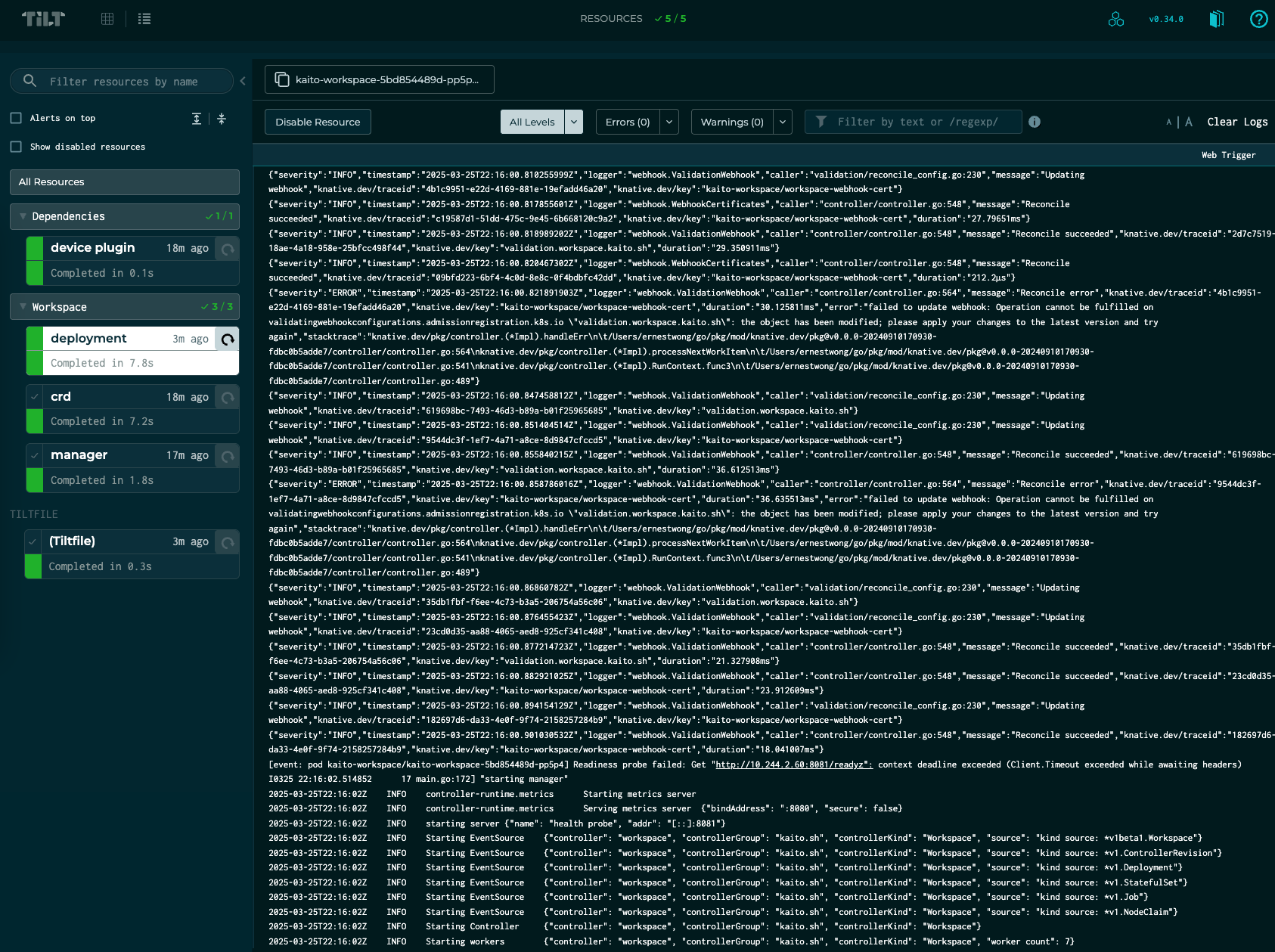
Tilt automates the following steps during tilt up:
- Start the Tilt Server: Runs locally at http://localhost:10350/ and opens the Tilt UI in your browser (press space).
- Generate and Build: Creates CRD YAML files (
make generate manifests) and compiles the controller manager Go binary (go build), saving it to./tilt_bin. - Build Development Image: Packages the binary into a container image and tag it with
<default_registry>/kaito/workspace:tilt-<hash>), then pushes it to your container registry. - Apply CRDs: Deploys CRDs to the cluster with
kubectl apply --server-side -f charts/kaito/crds/. - Deploy Resources: Renders the Helm chart (
helm template charts/kaito/workspace) and applies it to the cluster, including the controller manager, webhooks, RBAC, and NVIDIA device plugin resources. - Live Updates: Detects changes to the controller manager source code, rebuilds the binary, updates the container, and restarts the controller manager within the container without re-deploying the pod - all in ~30 seconds.